Holy Faith Convent, Couva


Registration in Two Steps
Step 1: Pre-register online
Complete the online pre-registration form at holyfaithcouva.com between Monday 6 July and Wednesday 8 July 2026.
Step 2: Complete registration in person
Visit the school on Thursday 9 July 2026 to complete the registration process.
Both steps are required to complete registration.
Online Registration Guide
Before you begin the online pre-registration, please ensure you have a soft copy of the following documents readily available:
-
Birth certificate (pdf)
-
SEA placement slip (pdf)
-
School Immunization card (inside and outside on one pdf document)
-
Passport photo (jpg/jpeg)
Fill out the form on the right to get your child's student ID emailed securely to you.
Click through ALL the tabs below for further details. Please follow all steps
How to Complete Online Registration
1. Open the Student Portal
Visit holyfaithcouva.com and select STUDENT PORTAL.
2. Log in
-
Student ID: Enter the student’s ID beginning with 26 (for example, 26001).
-
Default password: Enter the student’s date of birth in YYYYMMDD format: four digits for the year, two for the month and two for the day.
Example: 16 October 2013 → 20131016 -
Click Login.
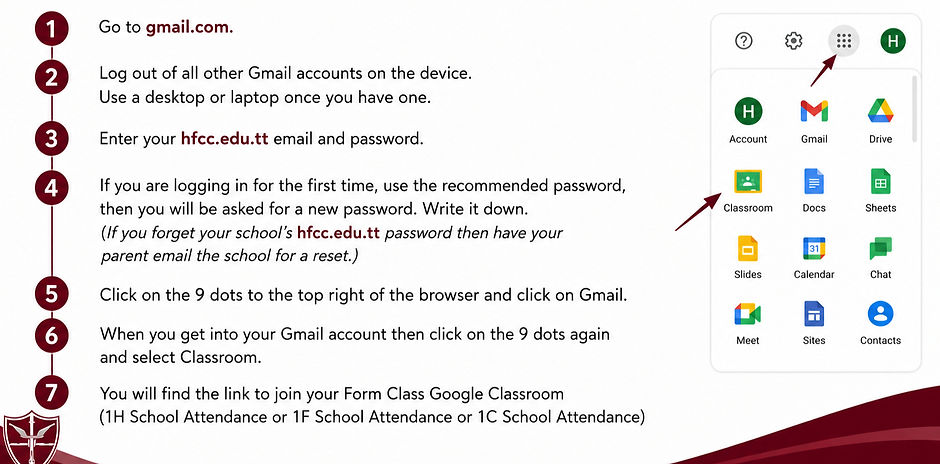
On your first login, you will be asked to create and confirm a new password.
Keep it somewhere safe—you will need it for future access.
Forgot your password? If HFCC Administrators reset it, use the student’s date of birth in YYYYMMDD format again.
3. Complete the registration form
Click Edit/View Registration and complete all four sections:
-
Student Data
-
Family Data
-
Medical Data
-
Other Data
4. Upload the required documents
Click Upload Documents and use the following file formats:
-
Birth certificate PDF
-
Immunization card PDF
-
SEA slip PDF
-
Student’s photo JPG or JPEG
5. Complete registration
Proceed to the final step, Complete.
Photo upload reminder: The student’s photo must be a JPG or JPEG file. If you see a “500 Server Error” at the final step, replace the photo with a JPG or JPEG file, then try again.

Final Registration Steps
6. Print and sign the form
Print the completed registration form on legal-sized paper (8.5 × 14 inches). A parent or guardian must sign in the space provided.
7. Prepare your documents
Bring the following to in-person registration for verification:
-
Printed and signed registration form
-
Birth certificate: original and copy
-
SEA placement slip: original and copy
-
School immunization card: original and copy
-
Two passport photos: write the student’s full name on the back of each
-
Name-change affidavit, if applicable
-
Special needs assessment reports, if applicable
Before submitting online: Open every tab and ensure all sections of the registration form is completed.
Unable to print your form?
Email marisa.ramlal@hfcc.edu.tt by 9:00 a.m. on Wednesday 8 July 2026.
Use the subject line: [Student’s Name] – Form 1 2026
8. Attend in-person registration
Visit Holy Faith Convent, Couva, on Thursday 9 July 2026. Bring your signed form and all required documents.
Sample Completed Registration Form